

How should SMEs in Singapore prepare for the 1 July 2026 retirement and re-employment age changes—without payroll and HR turning messy?
How should SMEs in Singapore prepare for the 1 July 2026 retirement and re-employment age changes—without payroll and HR turning messy?
Outline
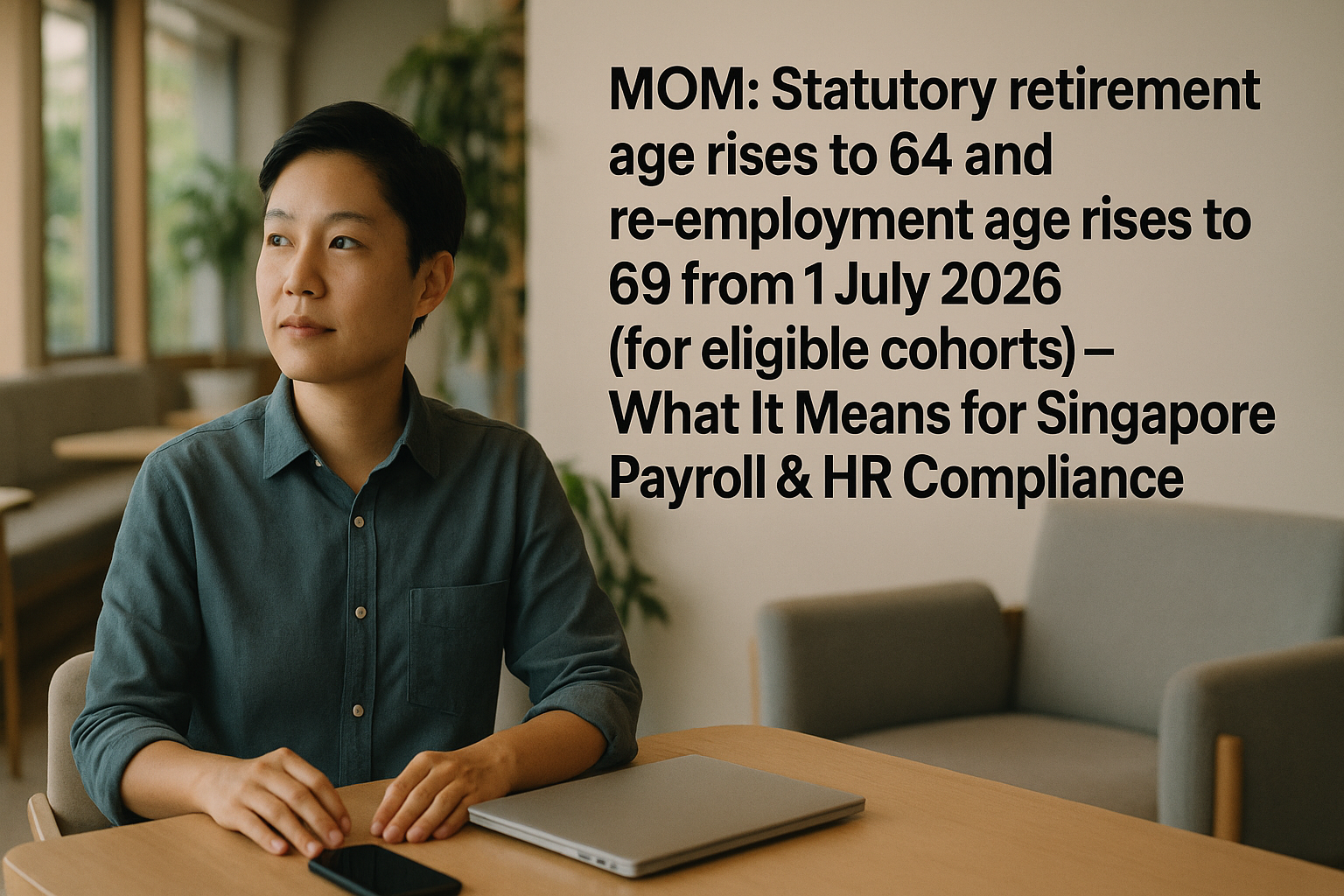
From 1 July 2026, Singapore’s retirement and re-employment age settings are scheduled to move again. For an SME, the risk is rarely “missing the headline”—it’s letting the change quietly break your operating rhythm: outdated employment templates, inconsistent re-employment offers, unclear benefit treatment, and payroll/CPF settings that don’t match the employee’s age band for the right period.
This is a retirement and re-employment age changes action plan, written for founders and operators who want clean payroll runs, fewer awkward employee conversations, and an audit-friendly documentation trail. The changes apply from 1 July 2026 and only for eligible cohorts—so the work is not just “update a policy,” but to build a controlled workflow that can handle the right people, at the right time, with the right paperwork and system settings (based on MOM and CPF Board guidance for the relevant period).
What exactly needs to be “operationally ready” by 1 July 2026 (and what can wait)?
If you run an SME, you don’t need another high-level summary. You need to know what will actually break if you don’t prepare.
Think of the 1 July 2026 change as four moving parts that must stay aligned:
- Terms: what your contracts, letters, and policies say
- Workflow: how re-employment is offered, accepted, and documented
- Payroll/CPF configuration: how age-based handling is applied in the payroll system
- Governance & records: how you prove decisions were made consistently
The practical priority order (so you don’t over-work the team)
Do first (high impact, low regret):
- Identify affected employees and likely cohorts (based on DOB/age)
- Review current templates: retirement clause, re-employment offer letter, addendums
- Confirm payroll system can track age bands and effective dates (not just “current age”)
Do next (where mess usually happens):
- Decide your internal position on re-employment terms (duration, salary approach, benefits)
- Train the workflow owner (usually HR/ops) and set a calendar trigger
- Create a documentation checklist so every case has the same paper trail
Can wait (but schedule it):
- Full handbook rewrite (often overkill)
- Broad organisation-wide townhall messaging (do after you’ve decided the operating rules)
The goal is not perfection. It’s to ensure that from 1 July 2026, your team can execute the right process for the right employee—without improvising every time.
Which employees are actually affected—and how do you verify eligibility without guessing?
A common SME failure mode is treating this like a blanket change for “all older workers”. In practice, the changes apply from 1 July 2026 and only for eligible cohorts, and eligibility details should be verified against MOM’s guidance for the period.
Build a simple eligibility verification routine
Create an internal “older worker” tracker that includes:
- Employee name / NRIC (or identifier)
- Date of birth
- Current role and employment type
- Current contract end date (if on fixed-term)
- Whether the employee is approaching retirement / re-employment milestone within the next 18–24 months
- Notes field for any special arrangements (reduced hours, job redesign, etc.)
Don’t hard-code assumptions—use a two-step check
- System check (data): who crosses the relevant age milestone on/after 1 July 2026?
- Policy check (rules): confirm, using MOM sources, whether that employee falls within the eligible group and what minimum process you must follow.
This is where you keep the article non-legal: you’re not “deciding eligibility”; you’re ensuring the company has a defensible verification method.
Practical tip for founders
Assign one owner for the “rule check” (HR/ops) and one for the “system check” (payroll/finance). Most mistakes happen when both are owned by nobody—or owned by the same person with no second pair of eyes.
What employment terms should you update so re-employment conversations don’t become ad hoc negotiations?
Older-worker transitions become messy when the company has no default position on terms. Employees talk to each other, managers make promises, and suddenly you have three different “standards”.
You’re aiming for consistency with room for exceptions.
Templates to review and update (minimum set)
- Employment contract clauses touching on retirement and re-employment
- Re-employment offer letter template
- Addendum template (for changes in hours, role scope, or benefits)
- Internal HR policy note / SOP (not necessarily a full handbook rewrite)
Decisions to make upfront (so you don’t improvise later)
- Duration and renewal rhythm
- Will you standardise on a fixed term with renewal review points?
- Who approves renewals, and what criteria are used?
- Role and scope alignment
- Will the re-employed role be “same job”, “adjusted job”, or “project-based”?
- What triggers a role redesign discussion?
- Salary and benefits approach
- Will you keep salary consistent unless role/hours change?
- How will variable pay, allowances, and benefits be treated?
Be careful with “silent changes”. If benefits are changing, document it clearly and consistently.
A practical way to keep negotiations controlled
Use a two-layer document structure:
- A standard re-employment offer letter with your default terms
- A one-page addendum only when something deviates (hours, job scope, specific benefit changes)
This prevents every re-employment case from becoming a custom contract rewrite.
How do you design a re-employment workflow that’s predictable for managers and audit-friendly for the company?
Your re-employment workflow should produce the same outcome every time:
- the employee is assessed on time
- the offer is made using the right template
- acceptance is captured properly
- payroll is updated correctly
- records are filed in one place
A simple re-employment workflow SMEs can actually run
T-6 months (before milestone):
- HR/ops runs the age tracker report
- Line manager confirms business need and role viability
- Company checks MOM guidance for eligibility and process requirements (for that cohort)
T-3 months:
- Prepare draft offer letter and any addendum
- Confirm salary/benefit treatment internally (avoid manager-led improvisation)
T-1 month:
- Issue offer letter
- Capture acceptance (signed copy, or controlled e-sign)
- Notify payroll of effective date and changes
Effective date:
- Payroll runs a pre-check (age band, CPF configuration, contract change reflected)
- File documents to employee folder with a standard naming convention
The control that prevents “we forgot” errors
Set a calendar trigger tied to date of birth (or milestone date) with a back-up owner.
If your HR function is lean, this is one of those areas where a light SOP matters more than a thick policy document.
What should you change in payroll systems so the 1 July 2026 shift doesn’t create incorrect runs?
Payroll problems often show up one or two cycles later—when you’re reconciling, answering an employee question, or responding to an audit query.
Your goal is to ensure payroll can handle:
- employee age transitions
- effective dates (especially around 1 July 2026)
- older-worker handling without manual patching
Payroll system readiness checklist (practical, not theoretical)
- Age tracking is correct (DOB captured; no placeholders)
- Effective-date logic exists (rules can change from 1 July 2026; not “always apply”)
- Automated flags for employees approaching milestone (e.g., 6 months out)
- Standard workflow for updating employee status/contract terms
- Pre-payroll control check: a report that lists older-worker cases and highlights changes
Avoid the most common SME payroll mistake: hard-coding
Do not hard-code assumptions like “once employee turns X, CPF is Y forever”. CPF rules and contribution rates can change, and age band treatment can depend on the period.
Instead:
- Ensure your payroll provider/software supports configurable age bands and effective-date updates
- Document who is responsible for updating settings when CPF Board releases changes
Practical scenario
If a staff member crosses a milestone close to 1 July 2026, you may have two different treatments in the same calendar year—depending on the effective date and applicable rules. Your payroll setup should be able to handle that without spreadsheet overrides.
How should you handle CPF for older workers without publishing the wrong rates or locking in outdated assumptions?
CPF is where “small configuration errors” become expensive and time-consuming—because you may need to adjust contributions and explain why.
Because CPF contribution rates and rules can be updated over time, it’s risky to quote figures in a static internal memo and treat them as permanent.
What to do instead (a safer operating method)
- Use CPF Board as the source of truth
- For each payroll period, confirm the applicable CPF rules and age bands
- Keep a link or saved reference in your payroll procedures
- Configure by period and age band
- Ensure the payroll system can apply CPF based on the employee’s age band for that month and the rules effective for that period
- Run a monthly control check
- Generate a report of employees in older-worker age bands
- Spot-check CPF calculations against CPF Board guidance for that period
Operational note for founders
If you outsource payroll, ask one specific question: “How do you update CPF rules when they change, and how do you prove the version used for a past payroll run?”
That “version trail” matters when questions come later.
How do you align salary, benefits, and work arrangements so re-employment feels fair and still fits your budget?
Founders often get caught between two risks:
- Over-promising to keep a valued senior employee
- Over-correcting costs in a way that feels arbitrary or inconsistent
The clean approach is to tie terms to role value and work design, not age.
A practical alignment framework (3 questions)
- Has the job scope changed?
- If yes, document it and align pay accordingly.
- Have hours or intensity changed?
- If yes, reflect it in contract terms and payroll settings (don’t leave it “informal”).
- Are benefits still aligned with company policy?
- If you are changing benefits, do it through a written rule that applies consistently.
Budgeting tip: plan for “transition costs”
Re-employment planning can involve:
- training time for handover
- job redesign
- part-time conversion
- changes to variable pay eligibility
These are operational costs, not just payroll numbers. Put them in the same planning sheet as your headcount plan so you don’t get surprised mid-year.
What governance and documentation do you need so decisions are defensible and easy to explain later?
You don’t want to be in the position of answering:
- “Why were two employees treated differently?”
- “Who approved this re-employment arrangement?”
- “Which version of the policy applied at that time?”
Minimum governance that keeps SMEs safe and sane
- A written SOP for re-employment workflow (1–2 pages is enough)
- A template pack (offer letter + addendum + internal checklist)
- An approval matrix:
- line manager recommends
- HR/ops checks process and documentation
- director/management approves exceptions (where needed)
Keep an auditable record without over-building
For each case, keep a folder with:
- eligibility check note (dated, with link/reference to MOM guidance used)
- assessment notes (role viability, performance, business need)
- issued offer letter and signed acceptance
- payroll change record (effective date, what changed)
If board or management resolutions are needed for certain policy changes (depending on your company’s internal governance), document them properly and keep them with your corporate records. This is where a company secretary support function can help keep records orderly—without turning it into an “incorporation topic” exercise.
What is a realistic timeline and owner plan for SMEs between now and 1 July 2026?
Most SMEs don’t fail because they start late; they fail because nobody owns the “boring middle”: templates, system settings, and repeatable workflow.
Below is a management action plan you can assign and track.
Phase 1: 3–6 months from now (foundation)
Owner: HR/ops + payroll/finance
- Build the age tracker and validate DOB data
- Inventory templates and policies touching retirement/re-employment
- Confirm payroll system capability: age bands, effective-date rules, reporting
Deliverable: a one-page “gap list” with owners and deadlines.
Phase 2: 6–12 months before 1 July 2026 (design and decisions)
Owner: Management + HR/ops
- Decide standard re-employment terms and what triggers exceptions
- Finalise template pack and SOP
- Create approval matrix and documentation checklist
Deliverable: version-controlled template pack + SOP, ready for use.
Phase 3: 3–6 months before 1 July 2026 (testing)
Owner: Payroll/finance + HR/ops
- Run a “mock case” through the workflow end-to-end
- Test payroll flags and CPF configuration update process (for the relevant period)
- Train managers on the process (short briefing + written guide)
Deliverable: test run evidence + updated procedures.
Phase 4: From 1 July 2026 onwards (operate and review)
Owner: HR/ops
- Run monthly control checks
- Keep documentation consistent
- Review exceptions and refine SOP
This sequencing keeps workload manageable and avoids last-minute rewriting.
What common mistakes create downstream mess (and how do you prevent them early)?
These issues are predictable—and usually preventable.
Mistake 1: Updating templates but not payroll settings
Fix: Treat every template change as a payroll change request. Add a step: “Payroll confirms configuration and effective date logic.”
Mistake 2: Letting managers negotiate one-off terms
Fix: Give managers a standard script and route exceptions through a simple approval matrix.
Mistake 3: Not tracking cohorts and dates properly
Fix: Maintain a single source-of-truth age tracker with a monthly review. Don’t rely on memory or ad hoc spreadsheets.
Mistake 4: Hard-coding CPF assumptions
Fix: Use CPF Board guidance for the relevant payroll period and keep a record of what you applied.
Mistake 5: No documentation trail
Fix: Use a case checklist and a standard folder structure. It’s boring, but it saves hours later.
The theme is the same: make the process repeatable, not heroic.
When should you bring in outside support—and what should you ask them to do (specifically)?
You don’t need external support for “information”. You may need it for execution discipline—especially if HR/payroll is handled by a small team.
Good reasons to bring in support
- You have multiple employees approaching the milestone in a short period
- Your payroll is outsourced and you’re not confident about system controls
- Your templates are inconsistent across teams or business units
- You want governance records to be clean (approvals, version control, documentation)
What to ask for (so it stays practical)
- Review and rationalise your template pack (offer letter, addendum, SOP)
- Set up an operational tracker and calendar trigger system
- Payroll configuration review: age band handling, effective dates, control reports
- Documentation and governance tidy-up (including corporate record-keeping where needed)
This is the kind of “structure and routine” work that keeps the company calmer to run. Corpzzy typically supports SMEs by helping translate regulatory change into practical operating steps—templates, workflows, payroll routines, and orderly records—so the business stays predictable as it grows.
Conclusion
The 1 July 2026 retirement and re-employment age changes are not just a policy update—they are an operational change that touches contracts, manager behaviour, payroll controls, CPF configuration, and your documentation trail. The companies that handle it cleanly don’t do anything fancy: they identify affected cohorts early, decide standard terms, build a repeatable workflow, and make sure payroll can apply the right rules by age band and period (based on MOM and CPF Board guidance).
If you treat this as an action plan—owners, timelines, templates, system checks—you’ll reduce employee friction, avoid payroll surprises, and make future questions easy to answer. If you want a calm partner to help turn the change into a clean operating routine, Corpzzy can help you set up the workflow, documentation, and payroll readiness in a way that stays manageable beyond 2026.
Frequently Asked Questions
Questions? We Have Answers
Related Business Articles
Share This Story, Choose Your Platform!

From 1 July 2026, Singapore’s retirement and re-employment age settings are scheduled to move again. For an SME, the risk is rarely “missing the headline”—it’s letting the change quietly break your operating rhythm: outdated employment templates, inconsistent re-employment offers, unclear benefit treatment, and payroll/CPF settings that don’t match the employee’s age band for the right period.
This is a retirement and re-employment age changes action plan, written for founders and operators who want clean payroll runs, fewer awkward employee conversations, and an audit-friendly documentation trail. The changes apply from 1 July 2026 and only for eligible cohorts—so the work is not just “update a policy,” but to build a controlled workflow that can handle the right people, at the right time, with the right paperwork and system settings (based on MOM and CPF Board guidance for the relevant period).
What exactly needs to be “operationally ready” by 1 July 2026 (and what can wait)?
If you run an SME, you don’t need another high-level summary. You need to know what will actually break if you don’t prepare.
Think of the 1 July 2026 change as four moving parts that must stay aligned:
- Terms: what your contracts, letters, and policies say
- Workflow: how re-employment is offered, accepted, and documented
- Payroll/CPF configuration: how age-based handling is applied in the payroll system
- Governance & records: how you prove decisions were made consistently
The practical priority order (so you don’t over-work the team)
Do first (high impact, low regret):
- Identify affected employees and likely cohorts (based on DOB/age)
- Review current templates: retirement clause, re-employment offer letter, addendums
- Confirm payroll system can track age bands and effective dates (not just “current age”)
Do next (where mess usually happens):
- Decide your internal position on re-employment terms (duration, salary approach, benefits)
- Train the workflow owner (usually HR/ops) and set a calendar trigger
- Create a documentation checklist so every case has the same paper trail
Can wait (but schedule it):
- Full handbook rewrite (often overkill)
- Broad organisation-wide townhall messaging (do after you’ve decided the operating rules)
The goal is not perfection. It’s to ensure that from 1 July 2026, your team can execute the right process for the right employee—without improvising every time.
Which employees are actually affected—and how do you verify eligibility without guessing?
A common SME failure mode is treating this like a blanket change for “all older workers”. In practice, the changes apply from 1 July 2026 and only for eligible cohorts, and eligibility details should be verified against MOM’s guidance for the period.
Build a simple eligibility verification routine
Create an internal “older worker” tracker that includes:
- Employee name / NRIC (or identifier)
- Date of birth
- Current role and employment type
- Current contract end date (if on fixed-term)
- Whether the employee is approaching retirement / re-employment milestone within the next 18–24 months
- Notes field for any special arrangements (reduced hours, job redesign, etc.)
Don’t hard-code assumptions—use a two-step check
- System check (data): who crosses the relevant age milestone on/after 1 July 2026?
- Policy check (rules): confirm, using MOM sources, whether that employee falls within the eligible group and what minimum process you must follow.
This is where you keep the article non-legal: you’re not “deciding eligibility”; you’re ensuring the company has a defensible verification method.
Practical tip for founders
Assign one owner for the “rule check” (HR/ops) and one for the “system check” (payroll/finance). Most mistakes happen when both are owned by nobody—or owned by the same person with no second pair of eyes.
What employment terms should you update so re-employment conversations don’t become ad hoc negotiations?
Older-worker transitions become messy when the company has no default position on terms. Employees talk to each other, managers make promises, and suddenly you have three different “standards”.
You’re aiming for consistency with room for exceptions.
Templates to review and update (minimum set)
- Employment contract clauses touching on retirement and re-employment
- Re-employment offer letter template
- Addendum template (for changes in hours, role scope, or benefits)
- Internal HR policy note / SOP (not necessarily a full handbook rewrite)
Decisions to make upfront (so you don’t improvise later)
- Duration and renewal rhythm
- Will you standardise on a fixed term with renewal review points?
- Who approves renewals, and what criteria are used?
- Role and scope alignment
- Will the re-employed role be “same job”, “adjusted job”, or “project-based”?
- What triggers a role redesign discussion?
- Salary and benefits approach
- Will you keep salary consistent unless role/hours change?
- How will variable pay, allowances, and benefits be treated?
Be careful with “silent changes”. If benefits are changing, document it clearly and consistently.
A practical way to keep negotiations controlled
Use a two-layer document structure:
- A standard re-employment offer letter with your default terms
- A one-page addendum only when something deviates (hours, job scope, specific benefit changes)
This prevents every re-employment case from becoming a custom contract rewrite.
How do you design a re-employment workflow that’s predictable for managers and audit-friendly for the company?
Your re-employment workflow should produce the same outcome every time:
- the employee is assessed on time
- the offer is made using the right template
- acceptance is captured properly
- payroll is updated correctly
- records are filed in one place
A simple re-employment workflow SMEs can actually run
T-6 months (before milestone):
- HR/ops runs the age tracker report
- Line manager confirms business need and role viability
- Company checks MOM guidance for eligibility and process requirements (for that cohort)
T-3 months:
- Prepare draft offer letter and any addendum
- Confirm salary/benefit treatment internally (avoid manager-led improvisation)
T-1 month:
- Issue offer letter
- Capture acceptance (signed copy, or controlled e-sign)
- Notify payroll of effective date and changes
Effective date:
- Payroll runs a pre-check (age band, CPF configuration, contract change reflected)
- File documents to employee folder with a standard naming convention
The control that prevents “we forgot” errors
Set a calendar trigger tied to date of birth (or milestone date) with a back-up owner.
If your HR function is lean, this is one of those areas where a light SOP matters more than a thick policy document.
What should you change in payroll systems so the 1 July 2026 shift doesn’t create incorrect runs?
Payroll problems often show up one or two cycles later—when you’re reconciling, answering an employee question, or responding to an audit query.
Your goal is to ensure payroll can handle:
- employee age transitions
- effective dates (especially around 1 July 2026)
- older-worker handling without manual patching
Payroll system readiness checklist (practical, not theoretical)
- Age tracking is correct (DOB captured; no placeholders)
- Effective-date logic exists (rules can change from 1 July 2026; not “always apply”)
- Automated flags for employees approaching milestone (e.g., 6 months out)
- Standard workflow for updating employee status/contract terms
- Pre-payroll control check: a report that lists older-worker cases and highlights changes
Avoid the most common SME payroll mistake: hard-coding
Do not hard-code assumptions like “once employee turns X, CPF is Y forever”. CPF rules and contribution rates can change, and age band treatment can depend on the period.
Instead:
- Ensure your payroll provider/software supports configurable age bands and effective-date updates
- Document who is responsible for updating settings when CPF Board releases changes
Practical scenario
If a staff member crosses a milestone close to 1 July 2026, you may have two different treatments in the same calendar year—depending on the effective date and applicable rules. Your payroll setup should be able to handle that without spreadsheet overrides.
How should you handle CPF for older workers without publishing the wrong rates or locking in outdated assumptions?
CPF is where “small configuration errors” become expensive and time-consuming—because you may need to adjust contributions and explain why.
Because CPF contribution rates and rules can be updated over time, it’s risky to quote figures in a static internal memo and treat them as permanent.
What to do instead (a safer operating method)
- Use CPF Board as the source of truth
- For each payroll period, confirm the applicable CPF rules and age bands
- Keep a link or saved reference in your payroll procedures
- Configure by period and age band
- Ensure the payroll system can apply CPF based on the employee’s age band for that month and the rules effective for that period
- Run a monthly control check
- Generate a report of employees in older-worker age bands
- Spot-check CPF calculations against CPF Board guidance for that period
Operational note for founders
If you outsource payroll, ask one specific question: “How do you update CPF rules when they change, and how do you prove the version used for a past payroll run?”
That “version trail” matters when questions come later.
How do you align salary, benefits, and work arrangements so re-employment feels fair and still fits your budget?
Founders often get caught between two risks:
- Over-promising to keep a valued senior employee
- Over-correcting costs in a way that feels arbitrary or inconsistent
The clean approach is to tie terms to role value and work design, not age.
A practical alignment framework (3 questions)
- Has the job scope changed?
- If yes, document it and align pay accordingly.
- Have hours or intensity changed?
- If yes, reflect it in contract terms and payroll settings (don’t leave it “informal”).
- Are benefits still aligned with company policy?
- If you are changing benefits, do it through a written rule that applies consistently.
Budgeting tip: plan for “transition costs”
Re-employment planning can involve:
- training time for handover
- job redesign
- part-time conversion
- changes to variable pay eligibility
These are operational costs, not just payroll numbers. Put them in the same planning sheet as your headcount plan so you don’t get surprised mid-year.
What governance and documentation do you need so decisions are defensible and easy to explain later?
You don’t want to be in the position of answering:
- “Why were two employees treated differently?”
- “Who approved this re-employment arrangement?”
- “Which version of the policy applied at that time?”
Minimum governance that keeps SMEs safe and sane
- A written SOP for re-employment workflow (1–2 pages is enough)
- A template pack (offer letter + addendum + internal checklist)
- An approval matrix:
- line manager recommends
- HR/ops checks process and documentation
- director/management approves exceptions (where needed)
Keep an auditable record without over-building
For each case, keep a folder with:
- eligibility check note (dated, with link/reference to MOM guidance used)
- assessment notes (role viability, performance, business need)
- issued offer letter and signed acceptance
- payroll change record (effective date, what changed)
If board or management resolutions are needed for certain policy changes (depending on your company’s internal governance), document them properly and keep them with your corporate records. This is where a company secretary support function can help keep records orderly—without turning it into an “incorporation topic” exercise.
What is a realistic timeline and owner plan for SMEs between now and 1 July 2026?
Most SMEs don’t fail because they start late; they fail because nobody owns the “boring middle”: templates, system settings, and repeatable workflow.
Below is a management action plan you can assign and track.
Phase 1: 3–6 months from now (foundation)
Owner: HR/ops + payroll/finance
- Build the age tracker and validate DOB data
- Inventory templates and policies touching retirement/re-employment
- Confirm payroll system capability: age bands, effective-date rules, reporting
Deliverable: a one-page “gap list” with owners and deadlines.
Phase 2: 6–12 months before 1 July 2026 (design and decisions)
Owner: Management + HR/ops
- Decide standard re-employment terms and what triggers exceptions
- Finalise template pack and SOP
- Create approval matrix and documentation checklist
Deliverable: version-controlled template pack + SOP, ready for use.
Phase 3: 3–6 months before 1 July 2026 (testing)
Owner: Payroll/finance + HR/ops
- Run a “mock case” through the workflow end-to-end
- Test payroll flags and CPF configuration update process (for the relevant period)
- Train managers on the process (short briefing + written guide)
Deliverable: test run evidence + updated procedures.
Phase 4: From 1 July 2026 onwards (operate and review)
Owner: HR/ops
- Run monthly control checks
- Keep documentation consistent
- Review exceptions and refine SOP
This sequencing keeps workload manageable and avoids last-minute rewriting.
What common mistakes create downstream mess (and how do you prevent them early)?
These issues are predictable—and usually preventable.
Mistake 1: Updating templates but not payroll settings
Fix: Treat every template change as a payroll change request. Add a step: “Payroll confirms configuration and effective date logic.”
Mistake 2: Letting managers negotiate one-off terms
Fix: Give managers a standard script and route exceptions through a simple approval matrix.
Mistake 3: Not tracking cohorts and dates properly
Fix: Maintain a single source-of-truth age tracker with a monthly review. Don’t rely on memory or ad hoc spreadsheets.
Mistake 4: Hard-coding CPF assumptions
Fix: Use CPF Board guidance for the relevant payroll period and keep a record of what you applied.
Mistake 5: No documentation trail
Fix: Use a case checklist and a standard folder structure. It’s boring, but it saves hours later.
The theme is the same: make the process repeatable, not heroic.
When should you bring in outside support—and what should you ask them to do (specifically)?
You don’t need external support for “information”. You may need it for execution discipline—especially if HR/payroll is handled by a small team.
Good reasons to bring in support
- You have multiple employees approaching the milestone in a short period
- Your payroll is outsourced and you’re not confident about system controls
- Your templates are inconsistent across teams or business units
- You want governance records to be clean (approvals, version control, documentation)
What to ask for (so it stays practical)
- Review and rationalise your template pack (offer letter, addendum, SOP)
- Set up an operational tracker and calendar trigger system
- Payroll configuration review: age band handling, effective dates, control reports
- Documentation and governance tidy-up (including corporate record-keeping where needed)
This is the kind of “structure and routine” work that keeps the company calmer to run. Corpzzy typically supports SMEs by helping translate regulatory change into practical operating steps—templates, workflows, payroll routines, and orderly records—so the business stays predictable as it grows.
Conclusion
The 1 July 2026 retirement and re-employment age changes are not just a policy update—they are an operational change that touches contracts, manager behaviour, payroll controls, CPF configuration, and your documentation trail. The companies that handle it cleanly don’t do anything fancy: they identify affected cohorts early, decide standard terms, build a repeatable workflow, and make sure payroll can apply the right rules by age band and period (based on MOM and CPF Board guidance).
If you treat this as an action plan—owners, timelines, templates, system checks—you’ll reduce employee friction, avoid payroll surprises, and make future questions easy to answer. If you want a calm partner to help turn the change into a clean operating routine, Corpzzy can help you set up the workflow, documentation, and payroll readiness in a way that stays manageable beyond 2026.
Frequently Asked Questions
Questions? We Have Answers
Share This Story, Choose Your Platform!